Me and You Remote Play Together Setup
Play the Me and You demo or full game when only one Steam library owns a copy.
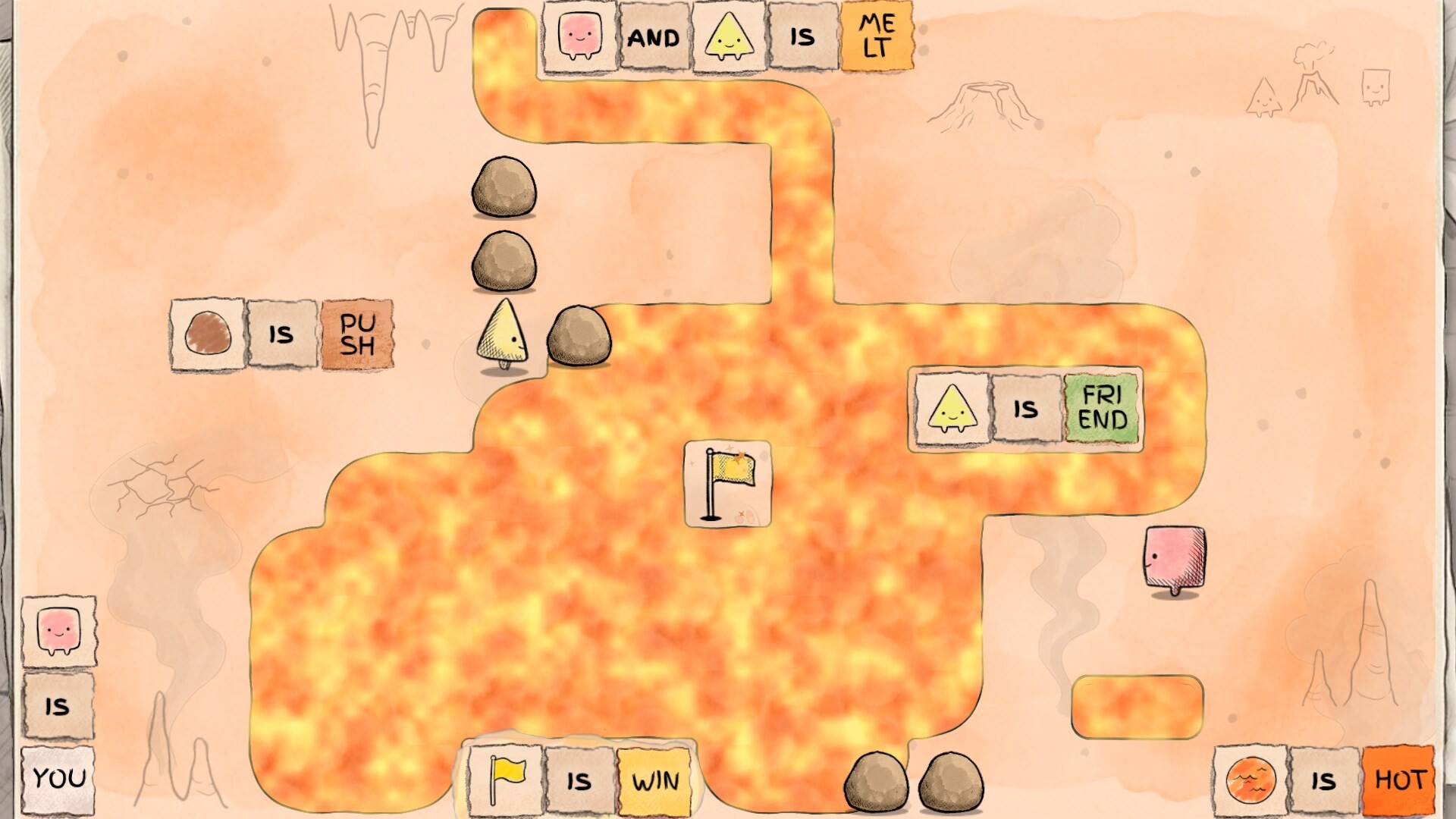
When Remote Play Together is the right tool
Me and You lists Remote Play Together among its Steam features alongside online co-op and shared/split-screen. Use Remote Play when only one of you owns the free demo (app 5150970) or the full game (app 4933500), or when buying a second copy tonight is not realistic. The host streams the session; the guest joins through Steam and plays as the second participant.
This guide is the practical checklist. For talk scripts and role splits that work in every mode, keep co-op tips open. For first-time install and wishlist steps, start at Getting Started.
Host checklist (owner of the library)
- Update Steam and the game/demo the afternoon before friends join—not five minutes before voice chat starts.
- Close heavy downloads (other game updates, cloud sync storms) so upload bandwidth stays free for the stream.
- Prefer wired Ethernet on the host PC when possible; stable upload matters more than a fancy GPU for this title’s light system requirements.
- Launch Me and You (or the demo) once solo to clear first-run prompts, then invite from Steam’s Remote Play Together overlay / friends list flow.
- Agree on input devices ahead of time—keyboard vs controller—using the bindings summarized on controls.
- Keep Discord or Steam voice ready as a backup if in-game chat is awkward; rule puzzles need clear audio more than flashy bitrate.
If the host machine is a laptop on Wi-Fi, sit close to the router and pause phone hotspots that steal airtime.
Guest checklist (joining without owning)
- Install Steam and log into your own account.
- Accept the Remote Play Together invite promptly; delayed accepts sometimes need a re-invite.
- Expect compression artifacts and a little input delay—that is normal for streaming, not a bug unique to Me and You.
- Use a controller if your keyboard layout fights the host’s language settings; full controller support is on the Steam feature list.
- Say “lag spike” out loud when presses feel late so the host does not assume you ignored a plan.
- Do not spam menu opens during delicate pushes; streaming magnifies accidental UI focus changes.
Latency habits that save friendships
Rule-rewriting puzzles punish mistimed pushes because a verb can corner forever. Adapt:
- Narrate before you move — “Fetching WIN, don’t touch STOP.”
- One Editor at a time during fragile sentence builds; the other player holds position or spot-checks rules.
- Undo early when a streamed input overshoots; do not “fix” a bad push into a worse board.
- Shorter sessions (45–75 minutes) beat three-hour marathons on soft Wi-Fi.
- Fallback plan — if Remote Play is unplayable, switch to watching a shared demo recording together and schedule a true online session after both own access.
Remote Play vs online vs split-screen
| Mode | Best when | Watch-outs |
|---|---|---|
| Remote Play Together | One library, two players | Host upload, compression, invite friction |
| Online co-op | Both own access, separate PCs | Each installs updates; still need voice |
| Shared / split-screen | Same couch / same PC | Seat planning, shared undo ownership |
Remote Play is a bridge, especially during wishlist season and demo weekends. After the November 25, 2026 unlock, many pairs will move to two-copy online co-op for cleaner input. Until then, Remote Play is a fully valid way to finish Chapter 1 and decide if launch night is worth calendaring—see the launch checklist.
Troubleshooting quick hits
- Guest cannot move — Confirm the invite granted a controller seat and that the game is focused on the host.
- Audio desync — Prefer Discord voice with game SFX lowered; lipsync to stream audio is optional for puzzles.
- Host FPS fine, guest feels mushy — Cap unnecessary background apps; lower Remote Play quality in Steam if upload is weak.
- Firewall / school network blocks — Try a phone-hotspot test once to isolate network policy issues.
- Mac host or guest — Steam Remote Play can work across OS lines, but test ten minutes early; light requirements help, quirky overlays do not.
Pair Remote Play with demo goals
Do not burn the whole evening on settings. Aim for the same first-hour outcomes as Getting Started:
- Both of you can explain YOU and WIN in your own words.
- You formed and broke at least one sentence on purpose.
- You laughed at one transformation that involved “turning you into a thing.”
- You know whether Remote Play is good enough for launch week or whether a second purchase is the plan.
When stuck on a named Chapter 1 room, use nudge-level help from the demo walkthrough rather than doom-scrolling while the stream idles.
Social and store hygiene
Remote Play does not replace wishlisting. The owner should still wishlist the full game so Steam notifies the household of unlock timing. Guests who loved the session should wishlist too—even before buying—so launch discounts and trailer drops reach both of you. Official Discord and social links live on the Links Hub; track demo and festival context on the Updates Hub.
Accessibility notes
If either player gets motion-sick from stream compression, lower quality, sit farther from a large TV, or switch the guest to “spotter” voice-only for a level while the host executes. Color and text readability still matter: sit closer, raise UI scale if available, and keep the rule glossary on a phone for vocabulary without alt-tab storms on the host.
Remote Play Together exists so the second chair is never empty. Set up once, talk clearly, and push your first shared sentence without waiting for two receipts.
Frequently Asked Questions
Quick answers to the most common questions.
Does Me and You support Remote Play Together?
Yes. Steam lists Remote Play Together among the game’s features alongside online and shared/split-screen co-op.
Can the guest play without buying?
Yes for a Remote Play session hosted from an owned demo or full-game copy. Long-term, many pairs buy two copies for cleaner online co-op.
Remote Play feels laggy—what next?
Improve host upload, shorten sessions, and use the narration habits above. Compare modes in co-op tips.
Where do we learn the rules while streaming?
Keep How to Play and controls open on a second device so the host display stays on the puzzle.