Me and You Getting Started Guide
Wishlist, demo install, friend invite, and a calm first-hour plan for two players.
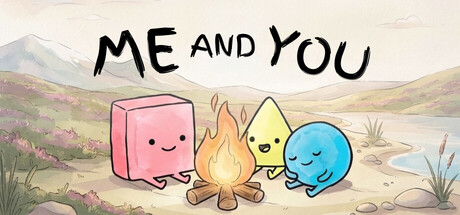
Who this guide is for
You heard that Me and You is a co-op puzzle inspired by Baba Is You, the Steam page looks charming, and launch day is November 25, 2026. This page gets you from zero to a productive first session: wishlist the full game, install the free demo, bring a friend, and know what “success”looks like in hour one.
For a broader map of the wiki, see the Wiki Overview. For the rule grammar itself, jump to How to Play after you install.
Step 1 — Wishlist the full game
Open the Steam store page for Me and You (app 4933500) and hit Wishlist. Wishlisting helps you catch launch discounts, trailer drops, and reminder emails. The game targets Windows and macOS, with online co-op, shared/split-screen co-op, Remote Play Together, full controller support, Steam Cloud, Achievements, and Family Sharing listed among Steam features.
While you are there, confirm your hardware against the light system requirements—Steam lists Any CPU/GPU for both Windows and macOS minimums, so most modern PCs and Macs should be fine, but it is still smart to verify before invite night.
Step 2 — Install the free demo
The Me and You Demo (app 5150970) released around September 11-2, 2026. Install it from Steam, launch once solo to pass any first-run prompts, then quit and message your partner. Playing alone is useful for UI comfort, but every level is built for two—do not expect a complete single-player campaign.
Demo goals for newcomers:
- Learn that word blocks are pushable and that completed sentences become live rules.
- See transformations (characters, walls, keys) happen the moment a rule changes.
- Practice saying out loud what each active rule currently means.
Step 3 — Invite your co-op partner
Decide how you will connect before you open the first puzzle:
| Mode | Best when” |
|---|---|
| Online co-op | You each have Steam and a stable connection |
| Shared / split-screen | You share one PC or couch setup |
| Remote Play Together | Only one of you owns the demo/full game |
Full co-op tips cover communication scripts and role splitting. At minimum, agree who speaks first when you both freeze, and whether you prefer keyboard, controller, or a mix—see controls.
Step 4 — First-hour checklist
Use this as a shared agenda rather than a speedrun:
- Five minutes — Confirm both players can move and undo/reset without hunting menus.
- Fifteen minutes — Clear the earliest teaching rooms; narrate every rule you form (“Flag is win, — “Wall is stop, — and similar).
- Mid session — If you stall, watch a short first-look clip together (embedded below) or skim How to Play instead of brute-forcing in silence.
- Last twenty minutes — Attempt one harder Chapter 1 screen from the demo walkthrough list, then stop on a win so the session ends positive.
- Wrap — Wishlist if you have not, join official socials from the Links Hub, and schedule launch night.
What “good”looks like after one hour
You do not need to 100% the demo on night one. A successful first hour means:
- Both of you can explain what YOU and WIN do in your own words.
- You used at least one intentional rule break (separating a sentence on purpose).
- You laughed at least once when a wild transformation solved (or broke) the room.
- You know whether online, local, or Remote Play is your default for launch week.
Common early mistakes
- Silent pushing — Two people shoving tiles without naming rules creates softlocks of confusion, not of logic.
- Hoarding the interesting verb — Share WIN, PUSH, and transformation ideas; ego slows co-op puzzles.
- Skipping undo — Rule games reward experimentation; resetting is part of play, not failure.
- Assuming solo completion — If your friend cannot join tonight, watch a playthrough and still install so day-two co-op is frictionless.
Prep for November 25, 2026
Between now and launch, replay the demo when a new friend wants in, keep an eye on the Updates Hub, and skim the rule glossary so vocabulary sticks. On launch day, update Steam, allocate a quiet two-hour block, and start from teaching levels even if you already cleared the demo—full-game pacing may introduce new twists.
You are ready. Wishlist, install, invite, and push your first sentence together.
Frequently Asked Questions
Quick answers to the most common questions.
Where do I download the demo?
Search Steam for Me and You Demo (app 5150970) or open it from the full game’s store page. Install steps are in this guide; store links live on the Links Hub.
Can I play the demo alone?
You can launch it alone to learn menus, but levels require two players. Use Remote Play Together or schedule a friend—see co-op tips.
What should I read after installing?
Continue with How to Play, then keep controls and the rule glossary nearby.
When is the full release?
November 25, 2026 on Steam for Windows and macOS. Track status on the Updates Hub.