Me and You Official & Community Links
Steam, Discord, and social channels for Me and You—bookmark before launch night.
Quick links
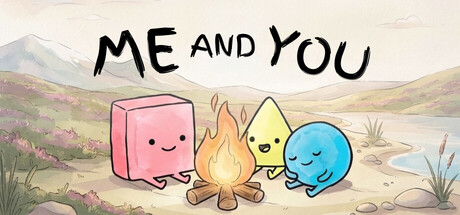
Use this hub whenever you need the real destinations for Me and You by PMF Top Joy Games. Every destination below uses descriptive anchor text. This wiki is unofficial; prefer these channels for announcements, especially around the November 25, 2026 Steam launch.
For timeline context, see the Updates Hub. For play advice, see the Guides Hub.
Steam
- Me and You on Steam (full game) — wishlist and purchase page for the November 25, 2026 release (app 4933500).
- Me and You Demo on Steam — free demo (app 5150970) that launched around September 11-2, 2026.
After wishlisting, continue with Getting Started so install and invite steps stay organized.
Community & social
- PMF Top Joy Games Discord — official Discord invite for finding partners, sharing feedback, and catching short notices.
- Top Joy Games on X (Twitter) — trailer drops, reminders, and studio posts.
- PMF Top Joy Games on Bluesky — alternate social feed from the studio.
When you ask for help in Discord, link a specific wiki page such as How to Play or the demo walkthrough instead of pasting unmarked spoilers into public channels.
What each link is good for
| Link | Use it to” |
|---|---|
| Full Steam page | Wishlist, read features, set launch reminders |
| Demo Steam page | Install Chapter 1 practice builds |
| Discord | LFG, bug reports, studio-adjacent chat |
| X / Bluesky | Fast media and short status updates |
Features worth confirming on Steam
While you visit the store pages, verify the live feature list still includes the co-op options you care about: online co-op, shared/split-screen co-op, Remote Play Together, full controller support, Steam Cloud, Achievements, and Family Sharing. Store copy can gain badges over time; if something disappears, trust Steam’s current page over older screenshots.
Hardware shoppers should also open system requirements so Windows/macOS expectations stay clear.
How this wiki relates to official channels
meandyou.wiki is a fan-made guide site. We summarize public information, teach co-op habits, and keep tools like the rule glossary handy. We do not replace patch notes, support tickets, or legal terms from Steam or PMF Top Joy Games. If a guide and an official post disagree, the official post wins—then tell us so we can fix the JSON sources.
Sharing etiquette
- Send friends the full game Steam link for wishlists and the demo link for “play tonight.”
- Prefer Discord invites from this page rather than expired third-party mirrors.
- When streaming, credit the studio names and avoid claiming this wiki is official.
Launch-night link kit
Copy this mental shortlist:
- Full game Steam page (download)
- Discord (voice + LFG)
- Controls (bindings)
- Co-op tips (peace treaties)
- Updates Hub (timing confirmation)
Extra reading on this wiki
- Wiki Overview — what the game is
- Tools Hub — references
- Guides Hub — how-tos
Bookmark /links/ on both players”browsers. When someone asks “where do we get it? — you already have the answer with proper anchors—no bare URLs required in chat if you paste from here.
Frequently Asked Questions
Quick answers to the most common questions.
Where is the full game on Steam?
Use the Me and You full game Steam link in the Steam section above (app 4933500).
Where is the free demo?
Use the Me and You Demo Steam link above (app 5150970), then follow Getting Started.
How do I join the Discord?
Open the PMF Top Joy Games Discord invite listed in the Community & social section.
Is this wiki official?
No. It is a fan resource. Official announcements come from Steam and the studio social links collected here.